← back

hääl
Jan 20, 2026


The world is a 2D grid and the sim runs in fixed ticks. That keeps belts and
machines deterministic and makes replay/debugging easier. The world is stored
as a cell array, and most systems (belts, machines, power, storage, haulers)
read and write the same grid. That sounds obvious, but it makes features like
overlays and tooltips much simpler.
World sizing and camera
The world size is tied to the window. I enforce a minimum 1024x576, then grow
the land to cover the viewport. I also keep an integer pixel scale and a simple
camera that centers on the player but clamps to world bounds. Result: you can
resize the window and the land adapts without showing empty space.
I also added zoom controls (mouse wheel and +/-) so the scale can change without
breaking the world math. The zoom never lets the world shrink smaller than the
window.
Desert planet look
I shifted the palette toward darker, sandy tones and reduced the bright greens.
It is still abstract pixel art, but the overall mood reads more like a desert
planet with muted blues for water and darker sand for ground.
HUD and usability
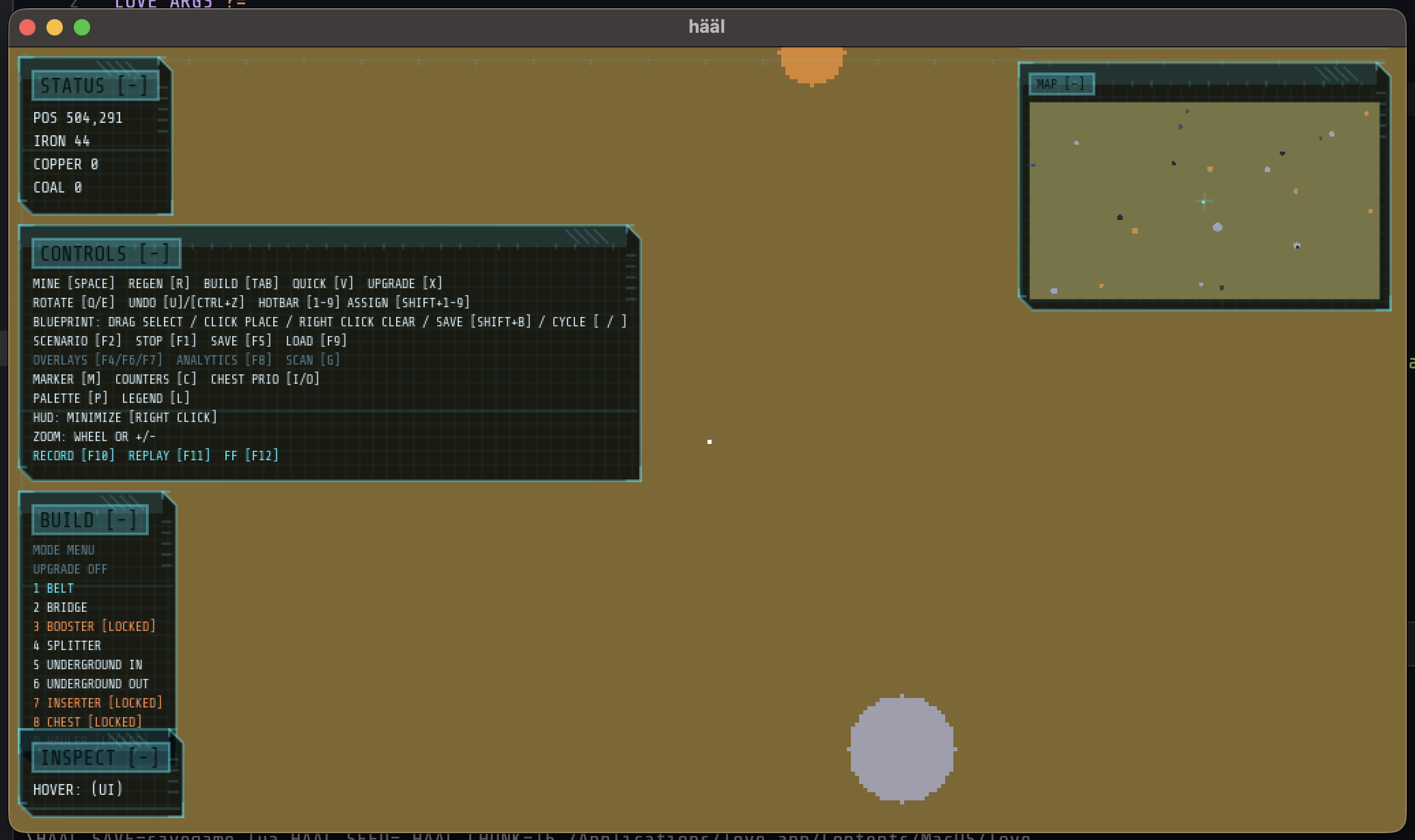
I keep the UI mostly in floating panels: status, controls, build menu, minimap,
legends, etc. You can right-click to minimize any panel. That keeps the UI
readable on small screens and lets you hide clutter when building.
Performance fixes
This game is all about pixels, so performance is mostly about not drawing
pixels you cannot see. The big wins so far:
- Chunked renderer: the world is split into chunks and only dirty chunks are rebuilt.
- View culling: the draw pass skips chunks that are off screen.
- Minimap caching: the minimap is now a canvas that is only updated when chunks change.
- Larger chunks: bumping chunk size to 32x32 reduces draw calls.
- Removed shimmer FX: it looked cool, but it touched a lot of pixels each frame.
The combination made the frame rate much steadier, especially on larger windows.
Overlays and debugging
I lean on overlays to debug the sim: power coverage, belt flow, bottlenecks, and dirty chunks. They are toggled with hotkeys and give me fast feedback on where the sim is doing work.