← back Dr. Nose | updates Jan 22, 2026
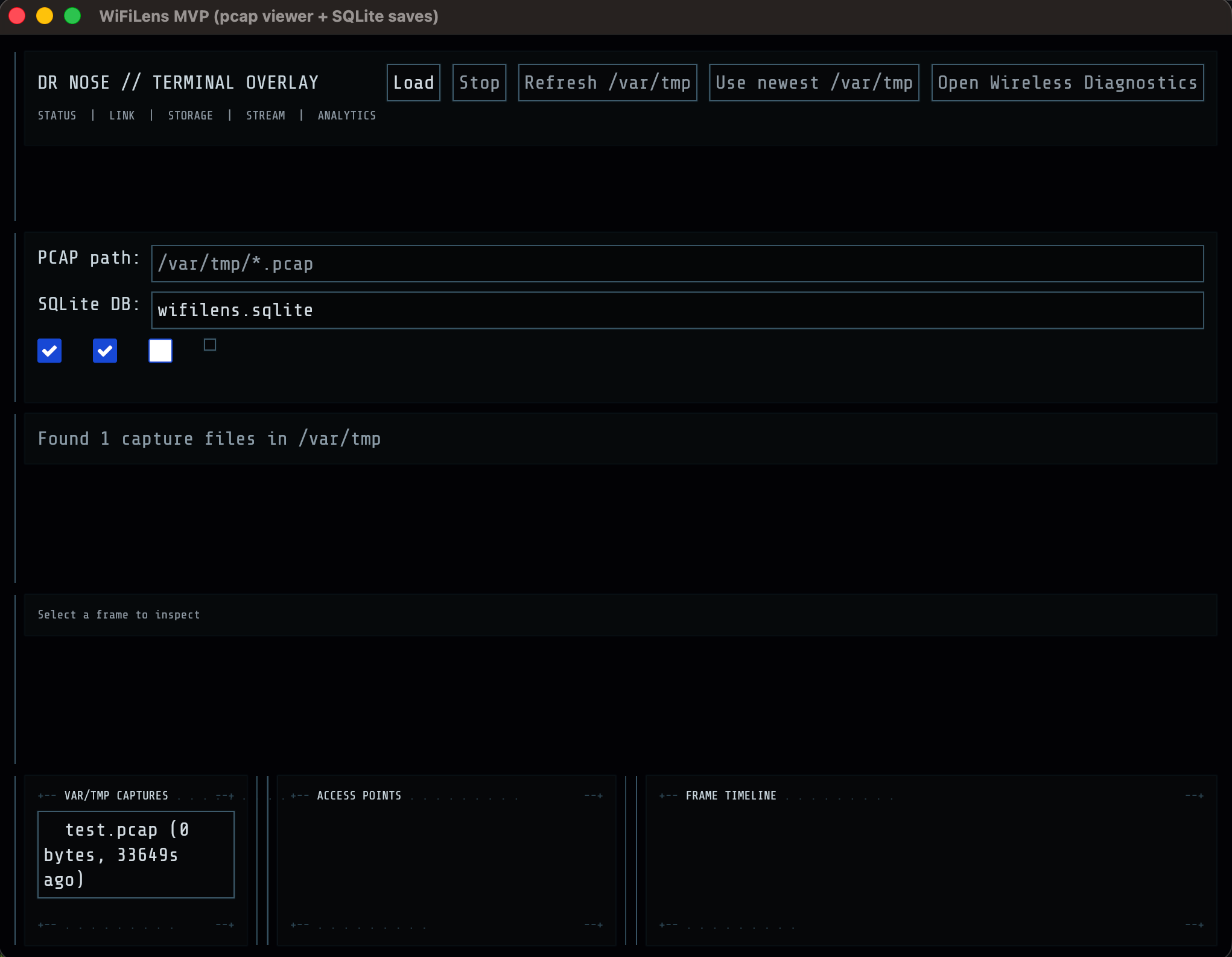
Wi-Fi recon is mostly about observation: detect beacons, learn BSSIDs, map channels, and track signal behavior over time. Dr. Nose is a small Rust app that stays strictly passive while giving you an operator-friendly view of 802.11 captures. It reads monitor-mode PCAPs (radiotap + 802.11), aggregates access points, and lets you save and export frames for deeper analysis.
Data flow overview
Dr. Nose runs a decode loop in a background thread:
- Read packets from a PCAP file.
- Decode radiotap (RSSI, channel MHz) and 802.11 headers.
- Build a frame summary for UI and aggregation.
- Optionally save a selected frame to SQLite for later export.
The UI shows a live timeline and a rolling AP list. It never transmits or injects; it's read-only on captures.
Radiotap and 802.11 decoding
The decoder handles two linktypes:
LINKTYPE_IEEE802_11(105)LINKTYPE_IEEE802_11_RADIOTAP(127)
Radiotap parsing is intentionally minimal. It extracts only:
- Channel frequency in MHz
- Antenna signal in dBm
802.11 header parsing is "MVP-correct" for management and data frames. It parses frame control fields, addresses, and subtype, and then infers BSSID using the DS flags.
This is enough to support most recon tasks:
- Identify BSSID and SSID associations.
- Track channel usage per AP.
- Watch signal strength shifts over time.
Live tailing a growing PCAP
On macOS, Wireless Diagnostics Sniffer writes to /var/tmp/*.pcap.
Dr. Nose can tail a growing capture by periodically reopening the file
and advancing to the last processed index.
The loop pattern is:
open pcap
skip N packets already seen
read new packets until EOF
sleep briefly and repeat
This is safe, simple, and good enough for a live feed. It avoids external dependencies and works with long-running captures while staying passive.
Aggregation and memory hygiene
For operational clarity, the app keeps two rolling data structures:
- A timeline of recent frames (bounded by
MAX_TIMELINE). - An AP map keyed by BSSID (bounded by
MAX_APS).
AP pruning is LRU-like, based on the last seen timestamp. This prevents unbounded memory use when capturing in dense RF environments.
Persistence and export
Saved frames go into SQLite with metadata plus raw bytes. The schema includes:
dot11_type,dot11_subtypebssid,ssidchannel_mhz,rssi_dbmaddr1,addr2,addr3linktypeframe_blob
Exports are supported for:
- PCAP: rehydrates
frame_blobwith stored timestamps and linktype. - CSV/JSON: metadata-focused for quick analysis pipelines.
This setup works well for triage and later deep dives:
- Import PCAP into Wireshark
- Pipe CSV into a recon notebook
- Run JSON through custom automation
Filtering and frame inspection
The UI includes filters for BSSID, SSID, channel, and frame type. Matching happens in-app without database queries.
Inspect mode surfaces:
- Type and subtype labels
- BSSID, SSID, addresses
- Channel and RSSI
- Linktype and raw frame length
This makes it easy to spot patterns like:
- Probe storms from a single client
- Rogue AP beacons on unexpected channels
- RSSI shifts that suggest AP movement or spoofing
Testing the decoder
Unit tests cover:
- SSID and DS channel IE parsing
- 802.11 header parsing and BSSID inference
- Radiotap fields (channel, RSSI)
Tiny synthetic fixtures are enough to lock in parsing behavior without large PCAP fixtures in the repo.
Operational guidance
Dr. Nose is designed for ethical recon and troubleshooting:
- Validate AP behavior in your own environment
- Verify capture quality and channel coverage
- Archive evidence for incident response
Always ensure you have authorization for the airspace you are monitoring. Passive observation can still fall under regulatory and organizational rules.